BLOG
Category: G CODE
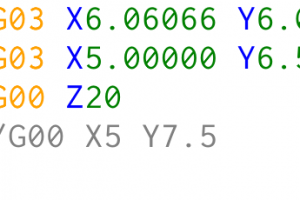
Another two g-codes used to specify machine movements are G02 and G03. They move the machine in an arc, in contrast to G00 and G01 which move the machine in a straight line. G02 moves the machine in a clockwise arc and G03 moves the machine in a counterclockwise arc. To use these codes we […]
A fundamental operation in CNC machining is controlling the spindle. It is controlled in g-code using M3, M4 and M5 commands. M03 will start the spindle turning clockwise. M04 will start the spindle turning counterclockwise. Both commands turn on the spindle at the speed determined separately by the S-word. It is used to set the […]
When it comes to g-codes that specify machine motion we need to mention G00 and G01. G00 or also known as rapid or traverse move. G00 command is usually used for moves when machine travels from position to position above the material and when no cutting is applied. When G00 command is stated we also […]
PlanetCNC TNG software supports, next to the conventional M00 pause, also optional M01 pause. While M00 command pauses program every time when it appears in program, M01 pauses program only when “Optional pause” option is enabled in machine menu: Machine/Options/Optional pause You can enable/disable optional pause while program is running, so you would not need […]
This feature comes useful when you need to test proof your program or if you have two versions of the same workpiece with minor changes etc… In such case you can use “Block delete” feature which allows you to skip or execute marked lines of g-code of your program. Block delete feature executes or skips […]


